
Same questions, every single day.
HR, IT and operations keep answering the same things on email and WhatsApp. Their real work waits.
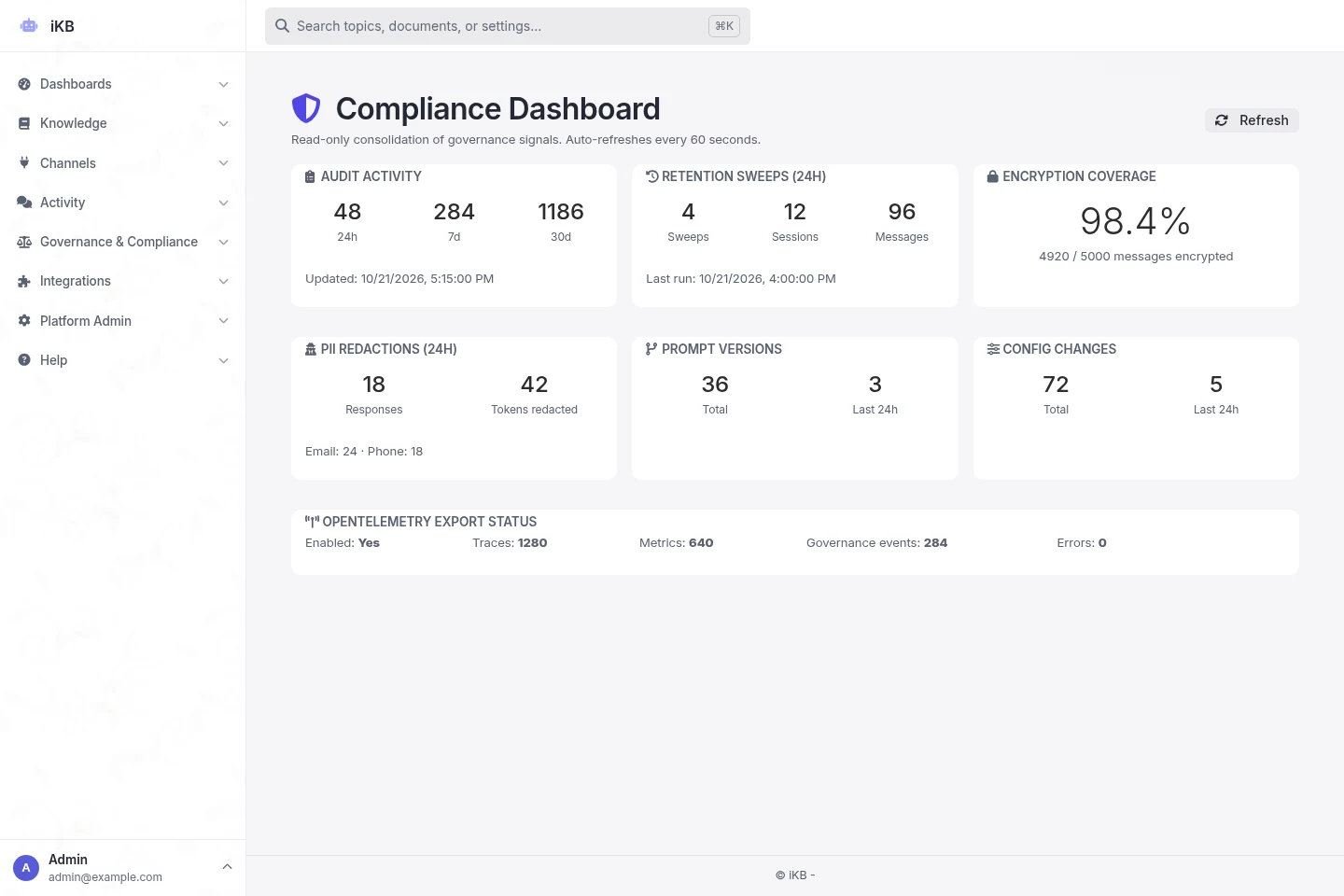
Compliance dashboard
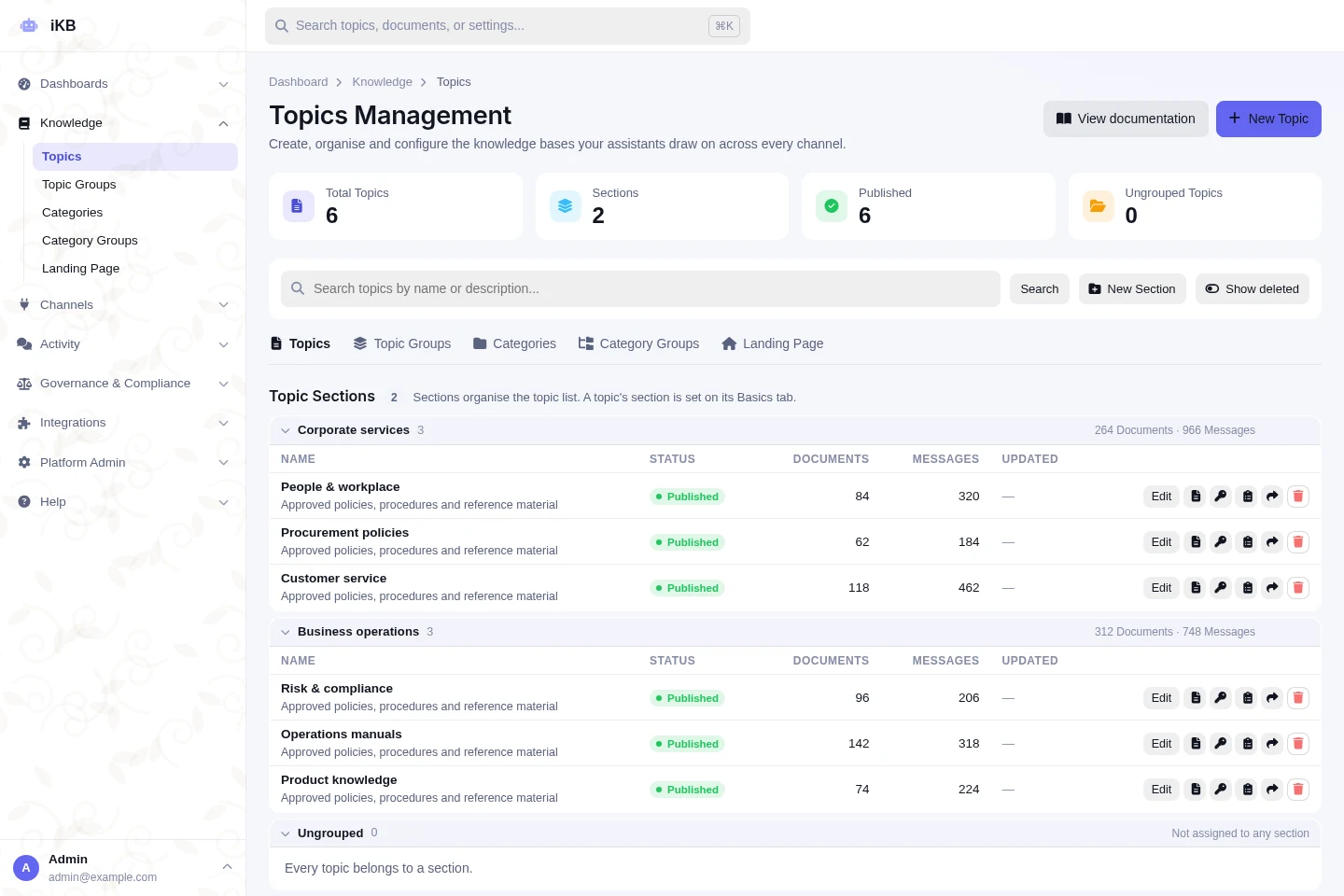
Connected knowledge
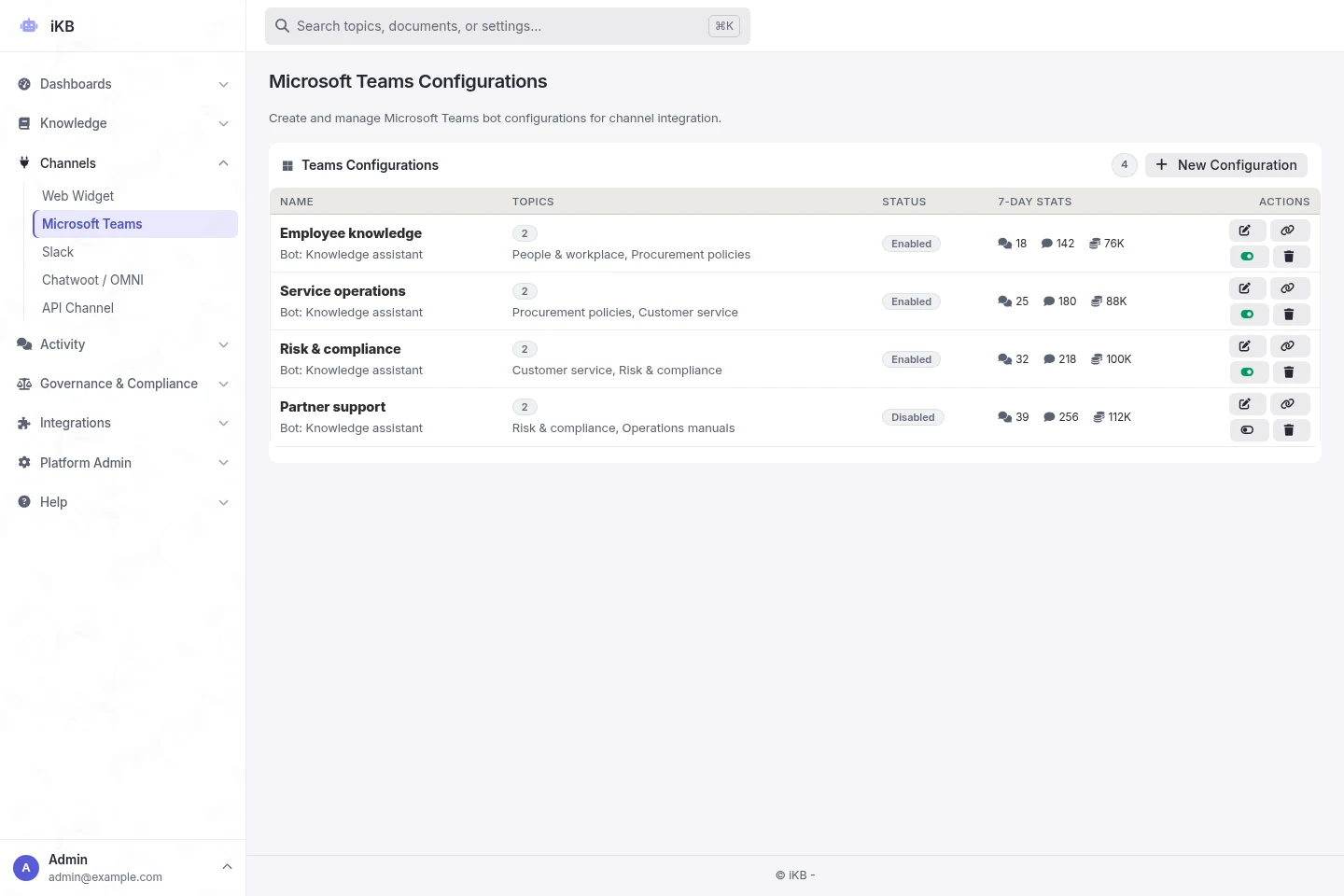
Channels / Microsoft Teams
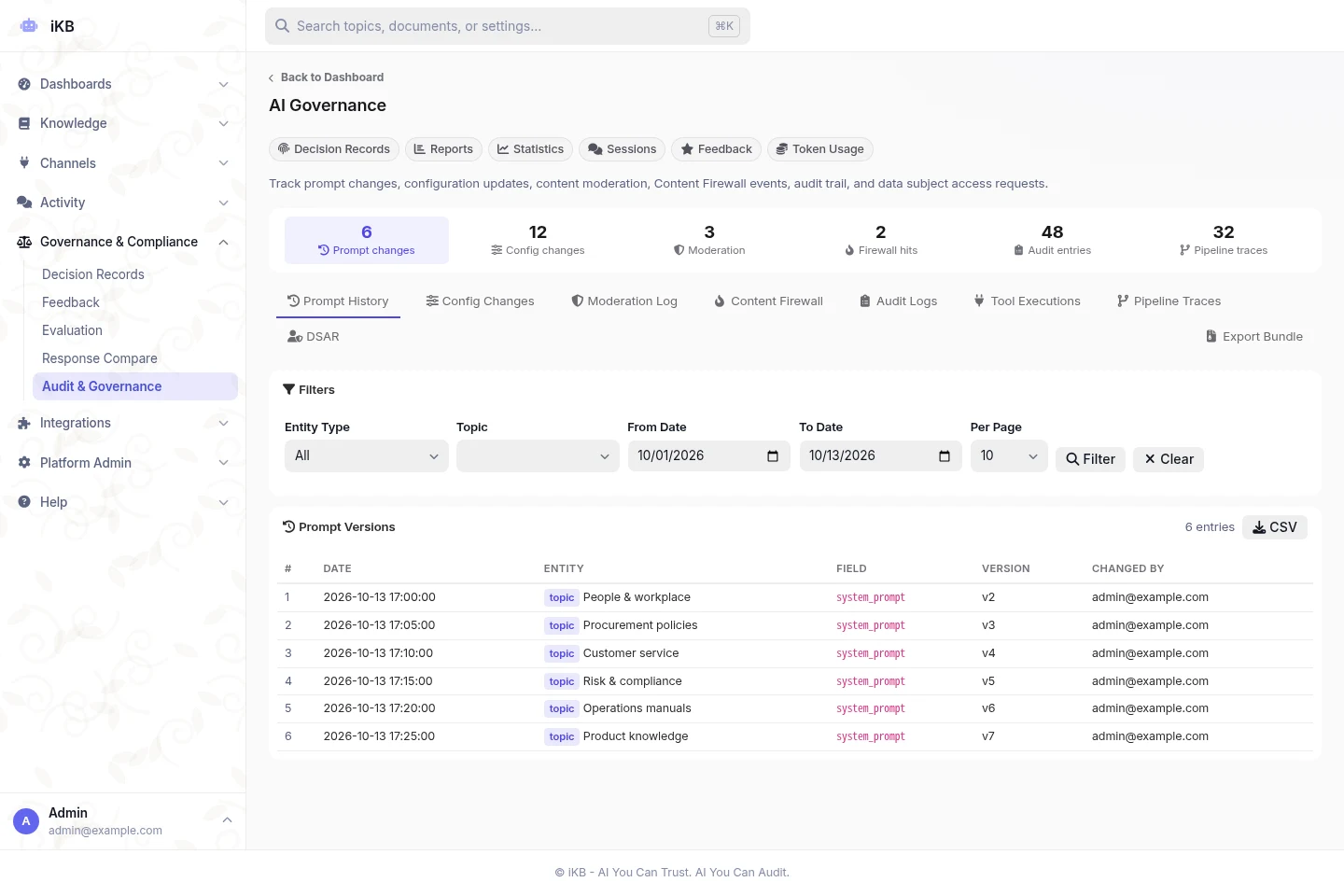
Governance & Compliance
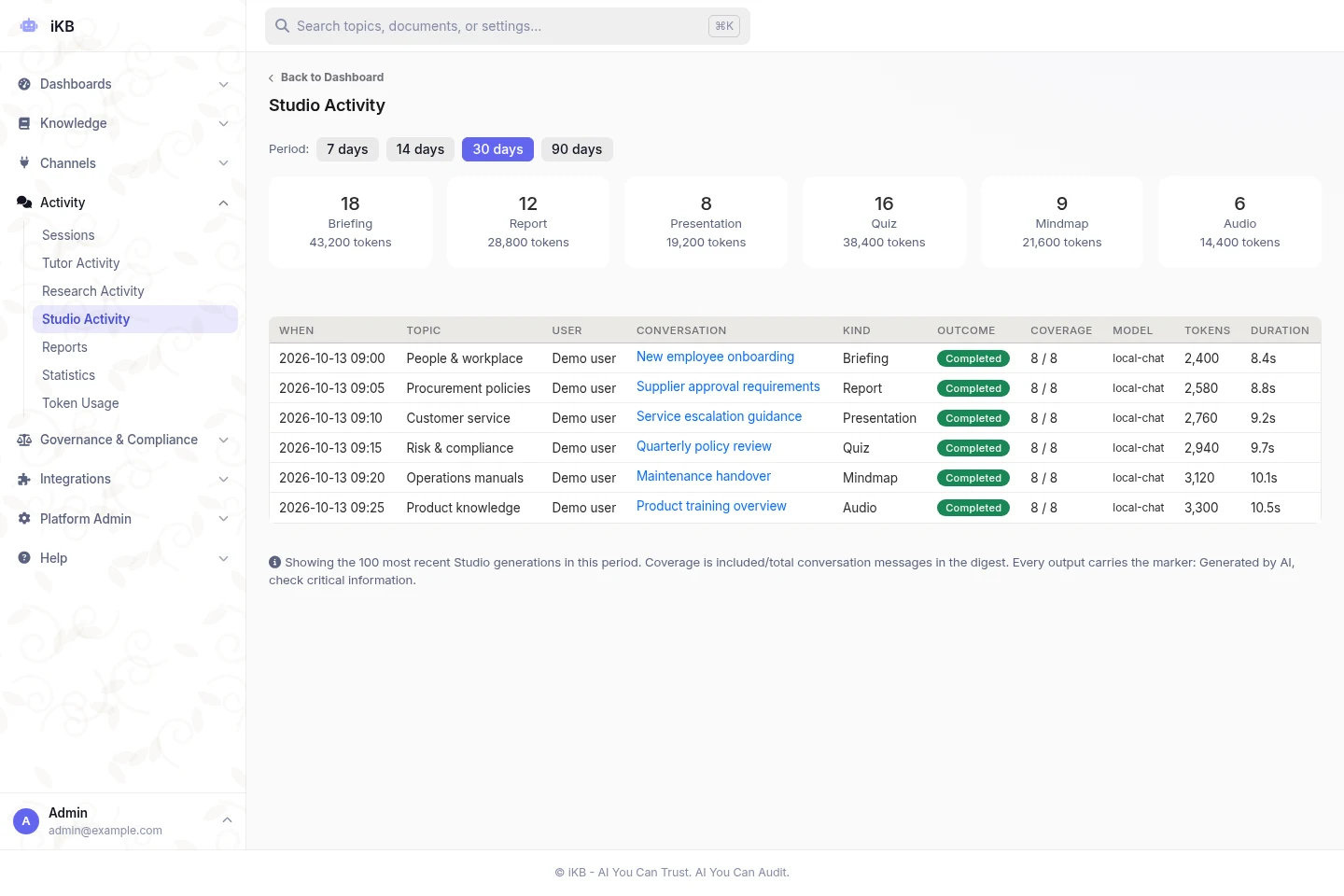
Studio activity
Example answer
Staff going outstation, can claim hotel or not?
Yes. Hotel stays for approved outstation trips are covered. Keep the receipt and submit the claim within 30 days.
Travel & Claims Policy · p. 7Decision Record saved
Award-winning iKB
Gold winner /
HR, IT and operations keep answering the same things on email and WhatsApp. Their real work waits.
Policies, SOPs and circulars sit in folders nobody can find. Staff guess, or give up.
Public chatbots sound confident but cannot say which document they used. Management cannot sign off on that.
Banks, agencies and hospitals need AI that runs on their own servers, under their own rules.
iKB fixes all four. One platform that knows your documents, answers with sources and runs where you choose.
No coding needed for your staff. Your IT team keeps full control of sources, access and AI models.
Upload files or switch on connectors for Google Drive, OneDrive, Teams, Slack and more. Group sources into topics, each with its own access rules.
Staff ask in plain language in web chat, Teams, Slack or your website. iKB searches only the sources that topic allows.
Every answer shows its sources. Turn it into a report, slides or a dashboard. A Decision Record keeps the trail for audit.
Search, answers, reports, dashboards and AI controls in one place. No need to stitch five tools together.
Turn any conversation into a briefing, action plan, slide deck or training material. Every version is saved, and exports can carry your brand.
Search documents, business systems, records and audio transcripts in one go. Every answer points back to the page it came from.
Decision Records keep the sources and policy checks behind every answer. Export tamper-evident evidence and control which actions can run.
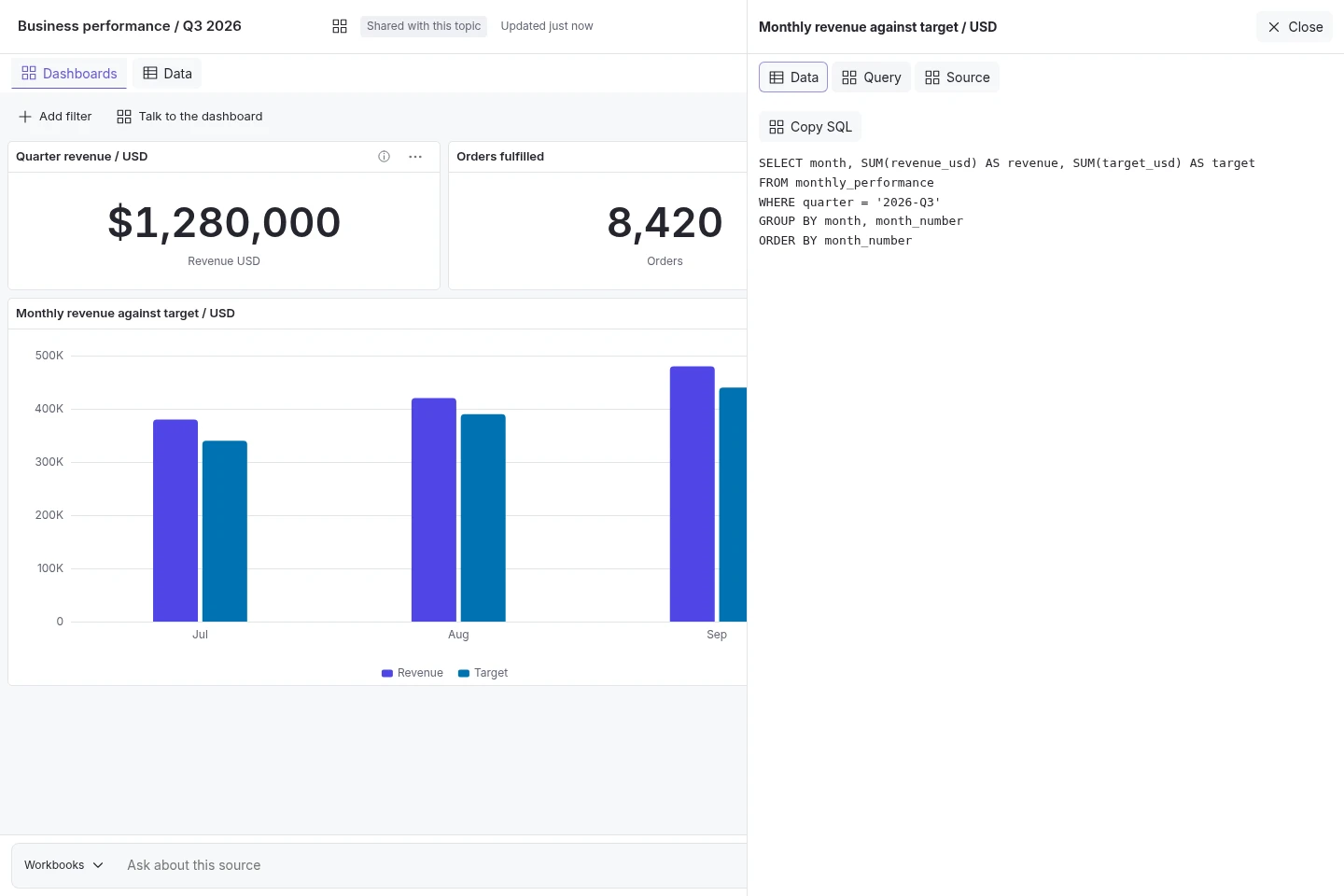
Ask a question, get a chart, KPI or table from approved spreadsheets and live data. Check the calculation, then share it with your team.
Full technical details for IT, risk and procurement teams.
No need to wait weeks for a report. Ask “Revenue against target this quarter?” and iKB builds the chart, KPI or table from your approved spreadsheets and databases. Click to see the exact query behind it, then share a live dashboard with your team.
Upload documents, import supported public shared files or connect the systems you already use. Keep policies, SOPs, recordings and records in topics, each with its own access rules and AI settings. Staff get the answer and the page it came from.
Business integrations
No need to move your files or change how people work. Connect iKB to your documents, chats, customer records and business data. You decide which accounts and actions are allowed.
Platform administrators configure the starting selection. It is not a limit: additional supported connectors can be configured as needed.


Other options cover office tools, customer service, finance and software development.
Enable a configured connector, authorise the account and approve its actions for each topic. Available operations depend on the provider, permissions and deployment settings.
These are selected supported providers, not the full catalogue or a fixed list of the 50 preselected connectors. Names and logos identify compatible services, not partnerships or endorsements.Turn a conversation into a briefing, board paper, slide deck or staff quiz. Studio saves every version, and exports can carry your own logo, colours and fonts.
Mix documents with spreadsheet figures. Calculated numbers stay separate from written sources, and forecasts are clearly labelled as projections.
Explore Studio & outputsA Decision Record shows the sources, policy checks and AI model behind each answer. Review records across six channels and export evidence for your auditors. Your risk team will thank you.
Explore AI governance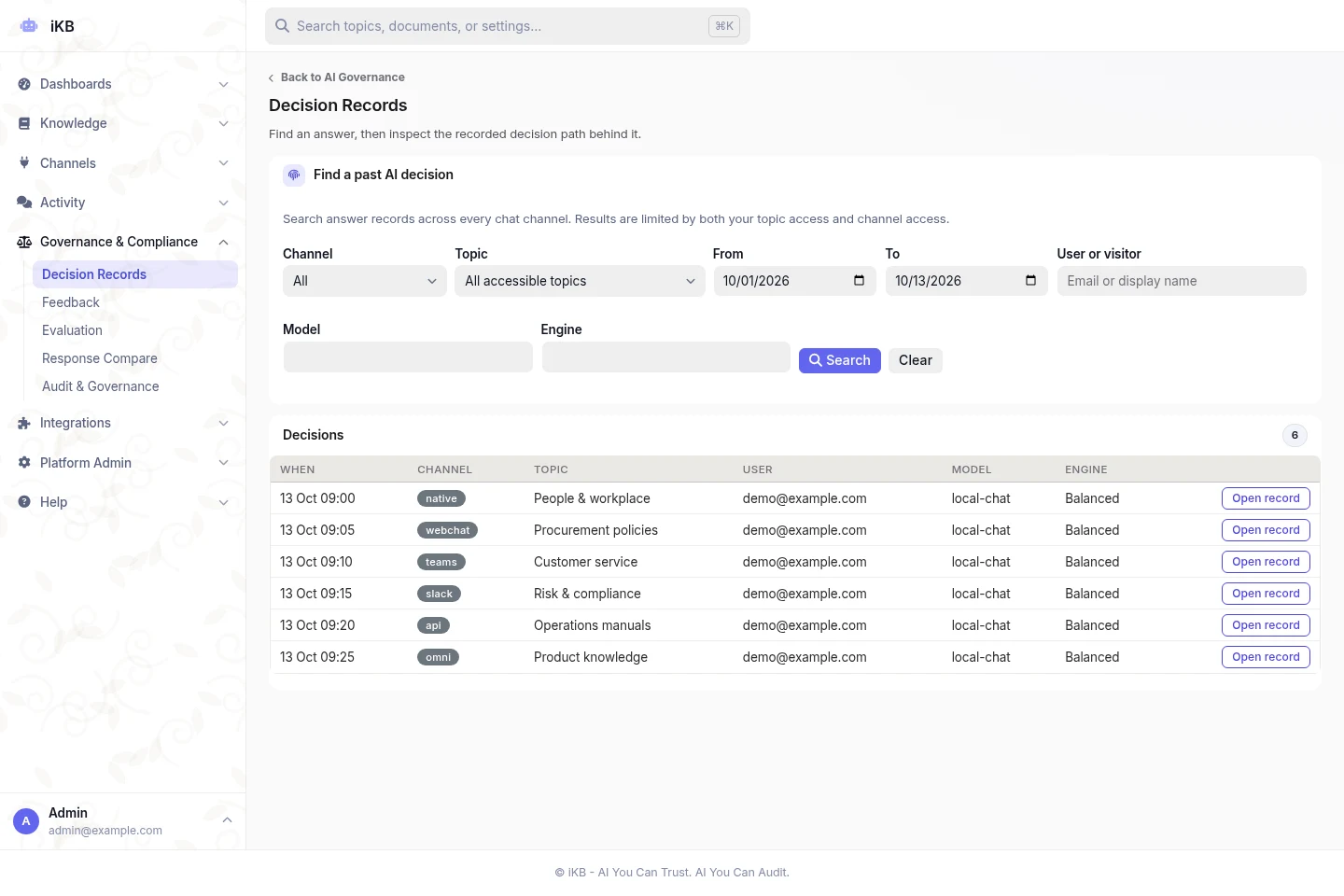
Banks, government, factories, hospitals and more. Pick a real daily question and test iKB on it.
iKB helps banking, insurance and risk teams search approved policies and claims procedures. Answers include source references for staff to check.
Explore the use casePolicy manuals, product terms, claims procedures, Shariah documentation
Access and reviewSet access by business role and keep the evidence behind each response. Staff remain responsible for decisions.
iKB helps public-sector staff find acts, circulars and procedures. Answers link to official source material for authorised review.
Explore the use caseActs, circulars, procurement policies, departmental standard operating procedures (SOPs)
Access and reviewChoose local or private deployment. Keep policy interpretation and official decisions with authorised staff.
iKB helps manufacturing and logistics teams find maintenance, safety and operating procedures across sites and shifts, with references to approved documents.
Explore the use caseMaintenance manuals, safety procedures, quality documents, standard operating procedures (SOPs)
Access and reviewKeep document versions and source references. Qualified staff remain responsible for safety-critical decisions.
Start small with a pilot on one set of documents. When it works, roll out on hosted, private cloud, on-premise or fully air-gapped infrastructure.
Need data to stay in Malaysia, Southeast Asia (SEA) or elsewhere in Asia? Tell us where it must be stored and processed. Same goes for teams in the Middle East and worldwide.
Explore pricing and deploymentCan. Choose private cloud, on-premise or fully air-gapped, with local AI models.
Find out moreCan. Pick from 132 supported providers or plug in your local OpenAI-compatible model.
Find out moreNo. Access is set per topic, and each connected action needs approval before it can run.
Find out moreCan. Try the live demo now, then run a pilot with your own documents and real questions.
Find out moreBook a demo with real questions from your team. See the answers, sources and controls for yourself.