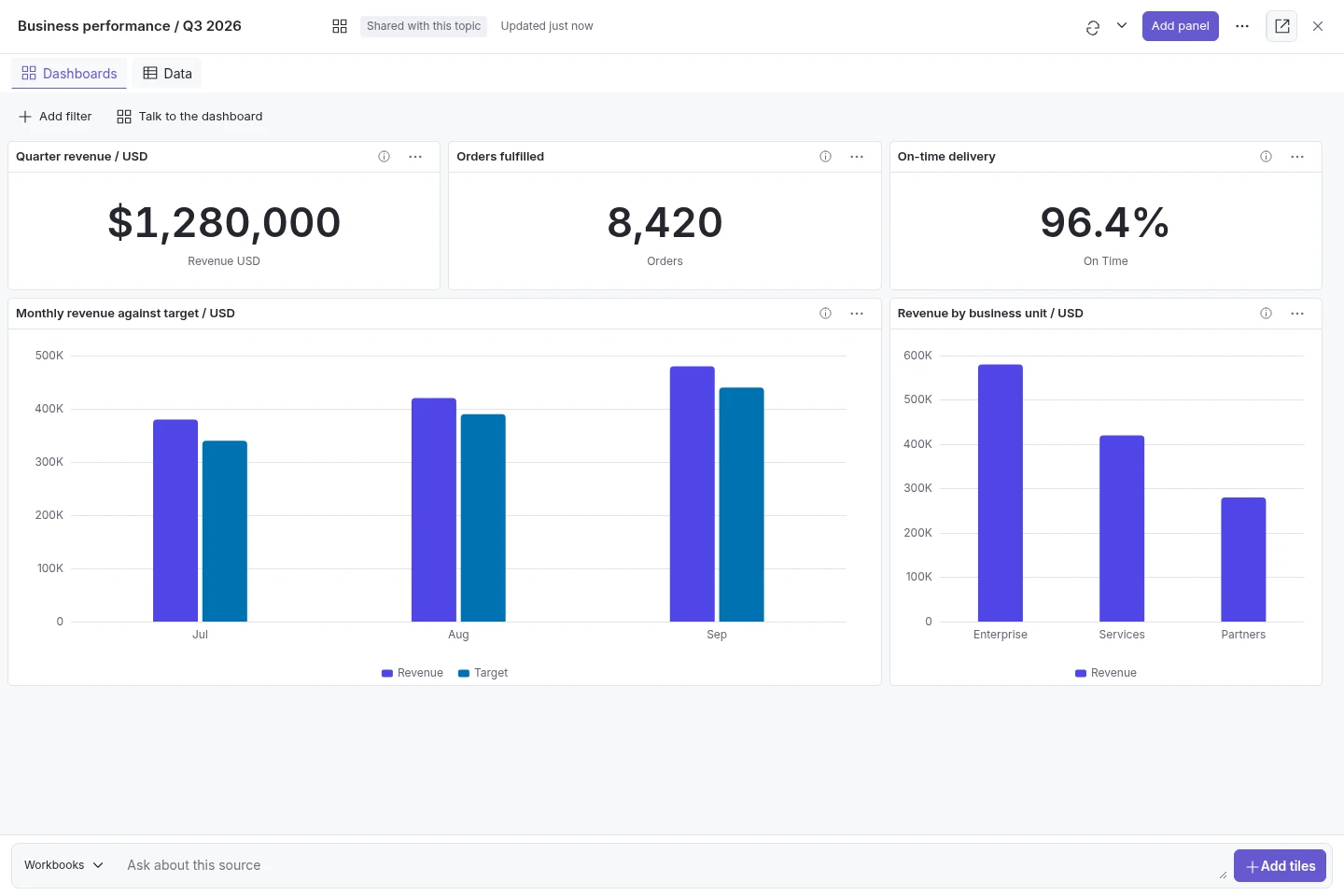
Talk to the dashboard
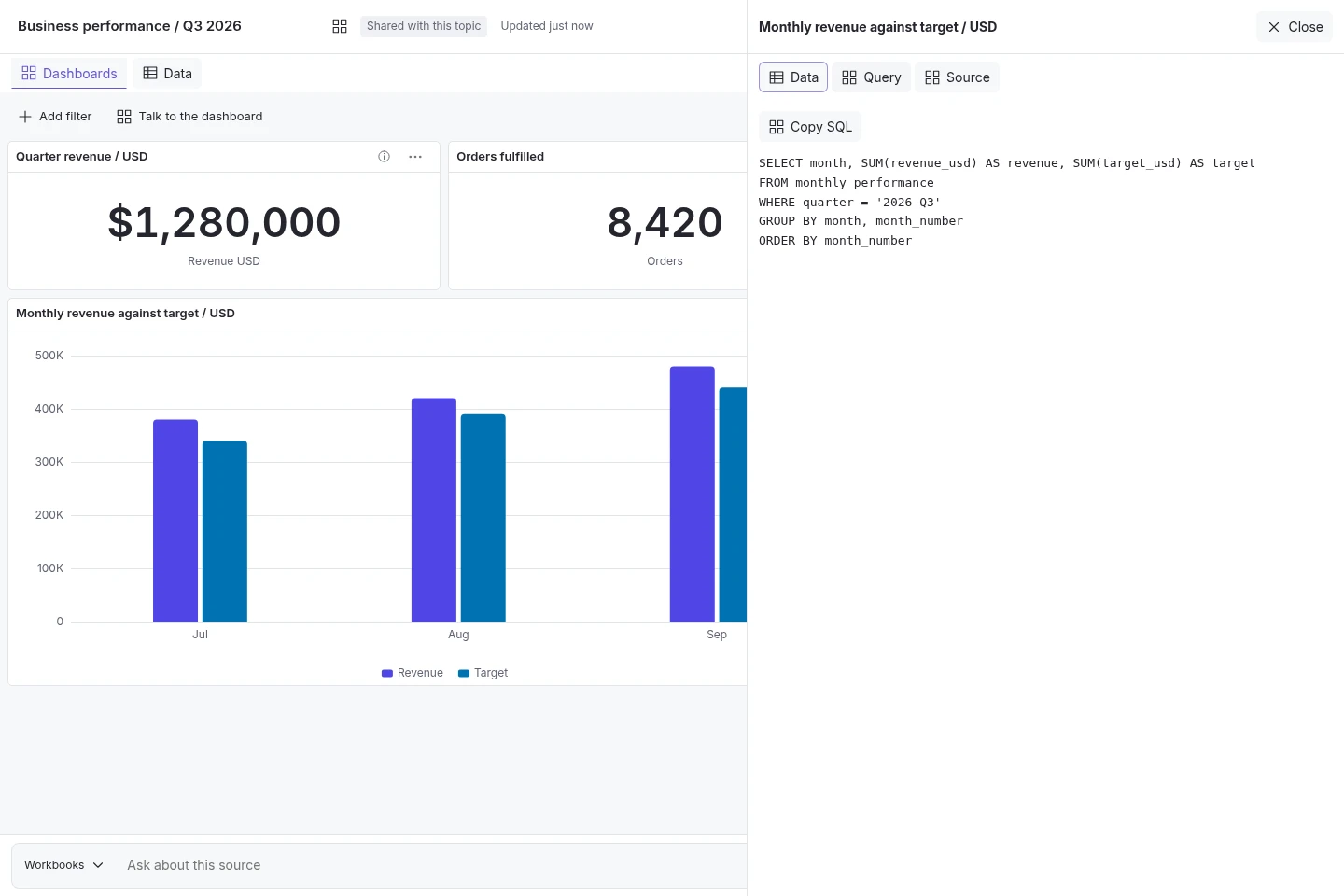
Build saved charts, KPI tiles and tables by asking questions in the native Analytics tab. Continue with follow-up questions and clarification replies, adjust supported visualisations and inspect the source and query behind each tile. Available to signed-in users on enabled topics with authorised data.
Workbook and live-data analysis
Use processed workbooks and CSVs, or approved live database connections, for dashboard questions, filters, sorting and bounded pivots. Read-only execution and connection readiness checks apply. Live filtering currently requires a configured MySQL connection that passes the platform's compatibility checks.
Permissioned dashboard sharing
Keep dashboards private or share a live link with users who can access the topic. Review changes that expose detail rows before publication. Configured refresh runs stored queries; source changes are surfaced and incompatible workbook replacements can withhold affected tiles. Raw-row access and SQL editing are separately controlled; dashboards are shared as live links rather than file exports.
Narrative and computed evidence
Answer questions that need both document explanations and tabular calculations. Keep the two forms of evidence distinct and retain the supporting references for each.
Validated analytics
Run calculations over authorised sources using read-only SQL, per-request DuckDB catalogs and result checks, with PDF table support. Retain query and source provenance; computed results and the model's interpretation still need review. Shared analytics controls cover native chat, the widget, Slack, Teams, Chatwoot and API; the dashboard tab is native-chat only.
Labelled forecasting
Support eligible forecasting requests over governed tabular sources. Projections are explicitly distinguished from verified historical results, with limitations disclosed; predictive accuracy is not guaranteed.
Readable results and chart exploration
Combine structured tables, explanatory text and appropriate charts. Readable axes, range navigation and expandable data views help teams inspect larger results while preserving source labels and time-period meaning.
Currency and unit safeguards
Prevent blind aggregation across different currencies or units. Keep computed figures distinct from narrative interpretation.
The Analytics tab is for signed-in native-chat users on enabled topics. Live filtering currently requires a compatible configured MySQL connection. Dashboards use permissioned live links rather than file exports. Raw-row access, SQL editing, source compatibility and refresh limits apply.